![Crosschq Logo 534x115.png]](https://support.crosschq.com/hs-fs/hubfs/Crosschq%20Logo%20534x115.png?height=40&name=Crosschq%20Logo%20534x115.png)
Crosschq offers optional questions for all your reference requests.
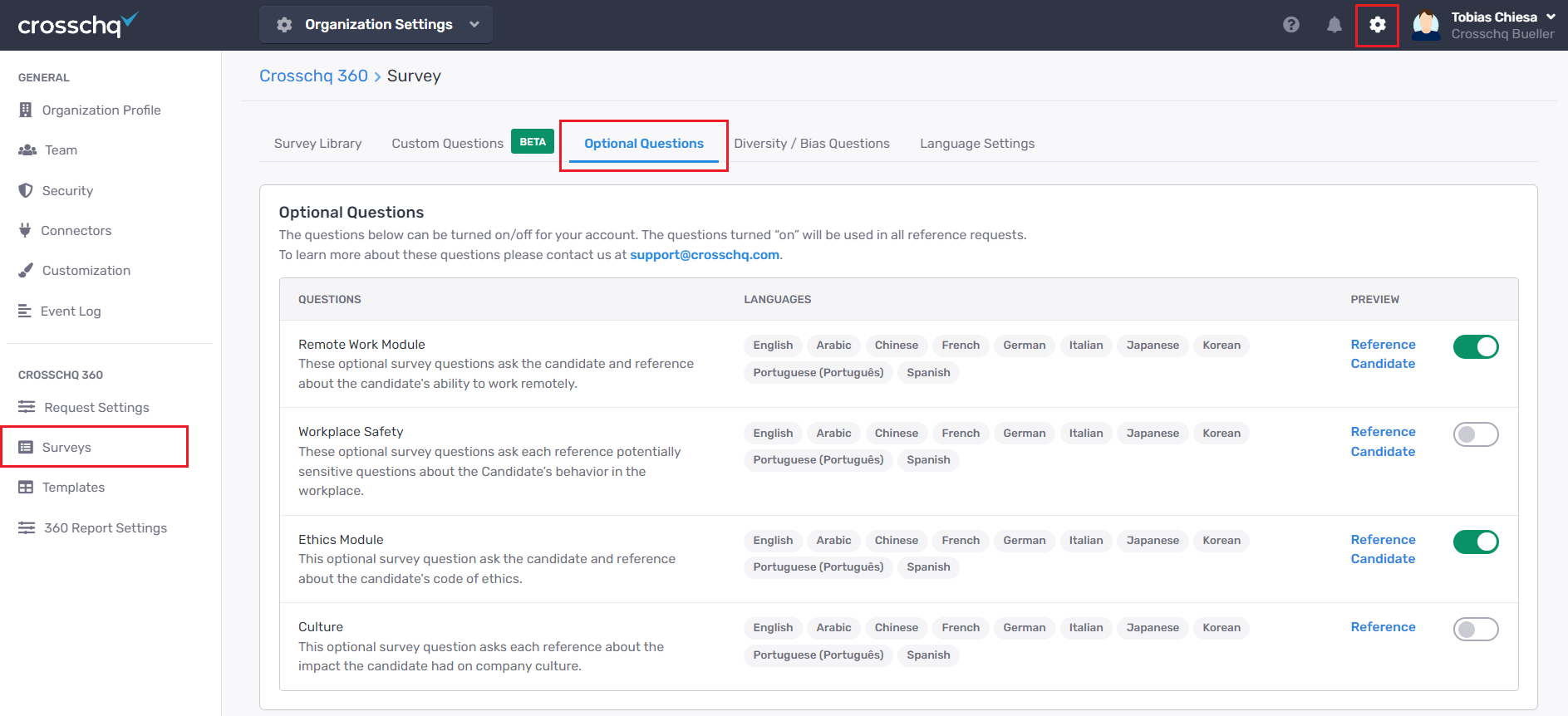
If you wish to activate these questions, go to Organization Settings > Surveys > Optional Questions and select the toggle to enable/disable the Optional Questions.
 *NOTE: If you do not see this module available reach out to support@crosschq.com.
Click the References and Self buttons to preview the surveys for references and candidates.