![Crosschq Logo 534x115.png]](https://support.crosschq.com/hs-fs/hubfs/Crosschq%20Logo%20534x115.png?height=40&name=Crosschq%20Logo%20534x115.png)
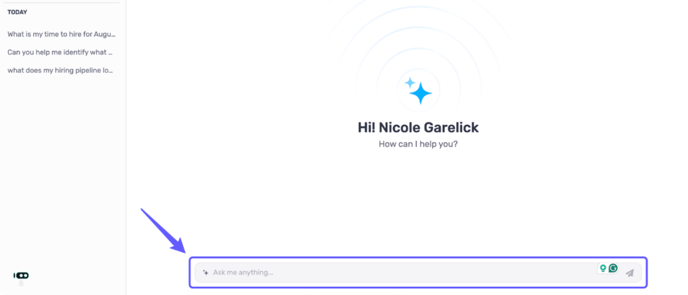
Type your question or request in the field to initiate a conversation with the assistant.
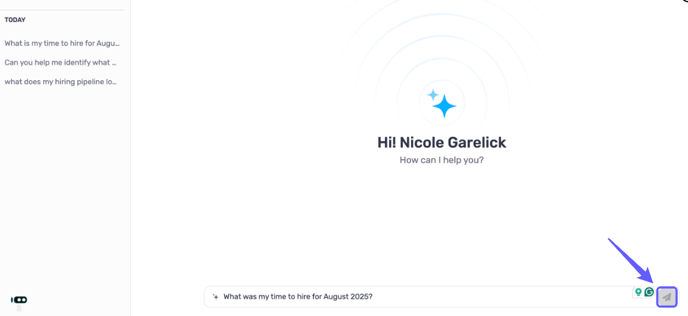
2. Submit Query
Click the paper plane icon to submit your query.
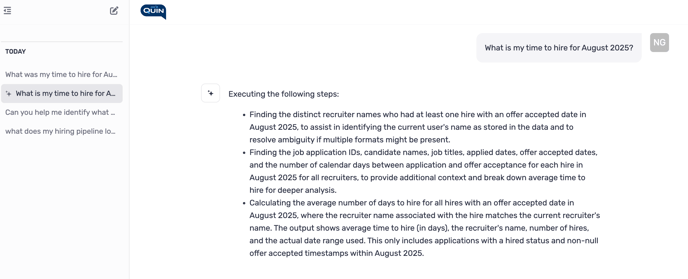
3. Review Responses
Review Quin's recommendation to your inquiry.
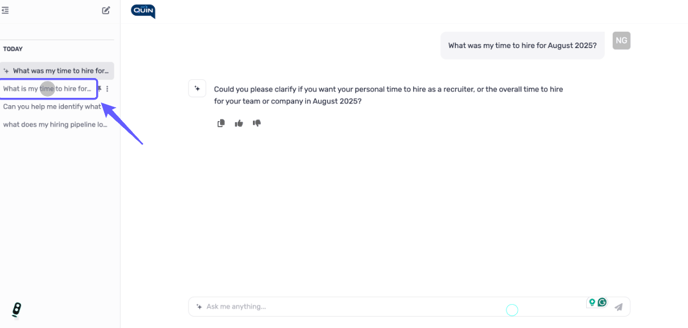
4. Check Previous Queries
Examine the previous queries and compare information.
What Quin Can Do
Quin turns your ATS data into clear, actionable answers. Example requests:
-
Headcount: “How many hires did we make in Q2 2025?”
-
Funnel health: “Where are candidates stalling in the Sales pipeline?”
-
Trends: “Show Time to Hire by quarter for Engineering.”
-
Source/recruiter performance: “Which source gives the fastest hires?”
-
Root cause: “Why did TTH rise last month?”
How to Ask Great Questions
-
Be specific: include metric + time frame + team/location.
-
Start broad, then drill down.
-
Keep it to one metric per question.
-
Use natural language—no special syntax needed.
Examples
-
Snapshot: “Hires in EMEA between Jan–Jun 2025?”
-
Trend: “Is Time to Hire improving quarter over quarter?”
-
Comparison: “Compare referral vs job-board hires in 2024.”
-
Diagnosis: “Why did TTH jump for Design roles in May 2025?”
Tips for Accurate Results
-
State filters (dates, departments, recruiters, etc.) up front.
-
Keep date ranges reasonable—shorter ranges load faster.
-
Watch sample sizes—Quin will flag very small data sets.
-
Iterate with follow-ups: “Break that down by stage” or “Show top 5 jobs driving the spike.”