![Crosschq Logo 534x115.png]](https://support.crosschq.com/hs-fs/hubfs/Crosschq%20Logo%20534x115.png?height=40&name=Crosschq%20Logo%20534x115.png)
The Greenhouse connector for ApplicantX allows Crosschq to analyze candidates from your Greenhouse account and surface fraud risk results directly in Greenhouse and in TalentWall. Follow the steps below to set up the connection.
- Connect Greenhouse to TalentWall
- Set up webhooks in Greenhouse
- Configure Fraud Analysis settings
- Viewing the Fraud Analysis report in TalentWall
- Viewing the Fraud Analysis report in Greenhouse
Connect Greenhouse to TalentWall
Follow the steps in Greenhouse for TalentWall to connect your Greenhouse account via OAuth.
Set up webhooks in Greenhouse
Follow the steps in Setting Up Web Hooks in Greenhouse to configure the webhook events required for data to sync to TalentWall in real time.
Configure Fraud Analysis settings
Before fraud analysis runs on your candidates, you need to configure which jobs it applies to. In TalentWall, click your profile icon in the top-right corner and select Account Settings. Navigate to the Customize tab and scroll down to the Fraud Analysis section.
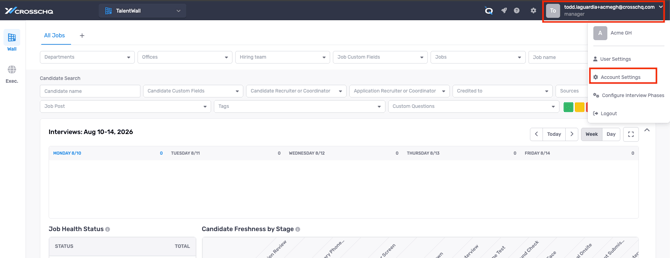
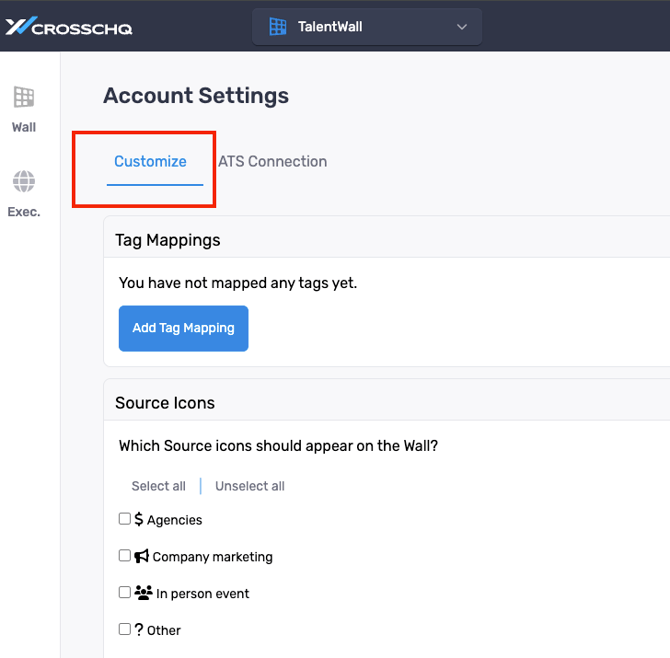
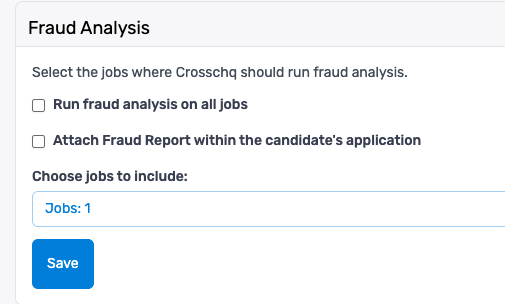
The following options are available:
- Run fraud analysis on all jobs — enable this checkbox to automatically run fraud analysis on every candidate across all jobs.
- Choose jobs to include — if you prefer to run fraud analysis on specific jobs only, leave the checkbox above unchecked and select the jobs individually from this field.
- Attach Fraud Report within the candidate's application — enable this checkbox to automatically attach the PDF fraud report to the candidate's profile in Greenhouse.
Click Save when done.
Viewing the Fraud Analysis report in TalentWall
Once the connector is active, Crosschq automatically runs a fraud analysis on candidates from your Greenhouse account. To view the results in TalentWall:
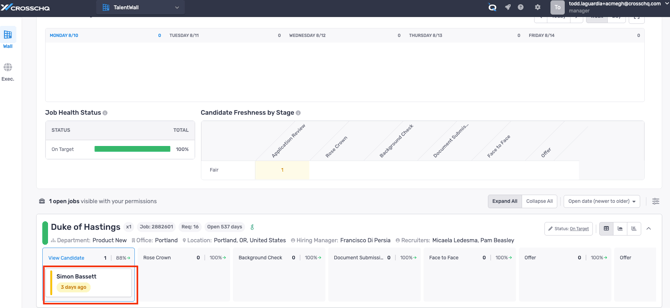
- Navigate to the Wall and open the candidate card for the candidate you want to review.
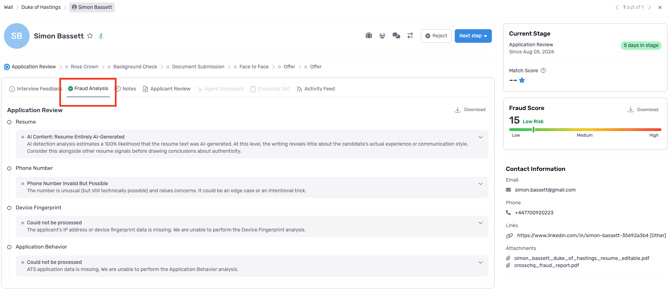
- Select the Fraud Analysis tab.
The Fraud Analysis tab displays the overall Fraud Score and a breakdown by signal group, including Resume, Phone Number, Device Fingerprint, and Application Behavior. Each signal group shows its finding and a brief explanation.
The Fraud Score is also visible in the right-hand panel of the candidate card, with a color-coded risk level indicator (Low, Medium, or High).
Viewing the Fraud Analysis report in Greenhouse
Fraud analysis results are also surfaced directly in Greenhouse on the candidate's application profile. There are two places to find them:
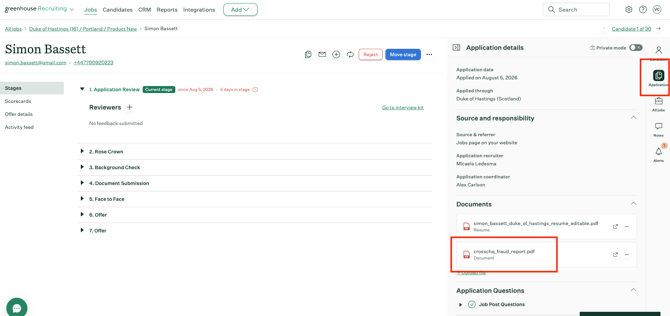
Documents
A PDF fraud report (crosschq_fraud_report.pdf) is automatically attached to the candidate's profile under the Documents section of the Application details panel. Click the link to open the full report.
Application Custom Fields
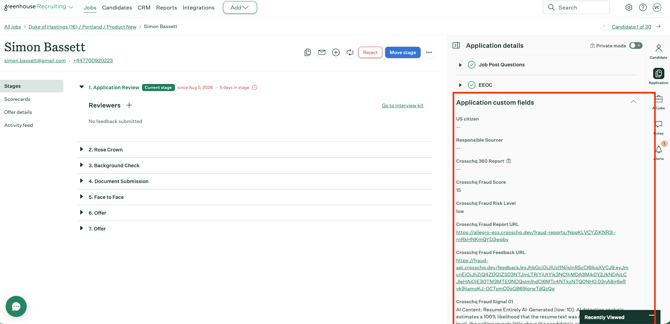
Individual fraud signals and the overall score are also written to the Application Custom Fields section of the candidate's profile, including:
- Crosschq Fraud Score — the numeric overall risk score
- Crosschq Fraud Risk Level — Low, Medium, or High
- Crosschq Fraud Report URL — a direct link to the full fraud report
- Crosschq Fraud Feedback URL — a link to submit feedback on the analysis
- Crosschq Fraud Signal 01, 02... — individual signal findings with their confidence level and description
Support
For additional assistance, contact support@crosschq.com.